Steam Frame Wireless Dongle on Linux

When you use a regular Linux desktop distribution this might work out of the box as all the necessary parts are still there but when using a more individual distribution there might be certain hiccups or things to know. I won’t go through every available more manual option but the steps it required me on Exherbo to get things setup like they are appear to be currently expected by Steam.

Wireless Dongle

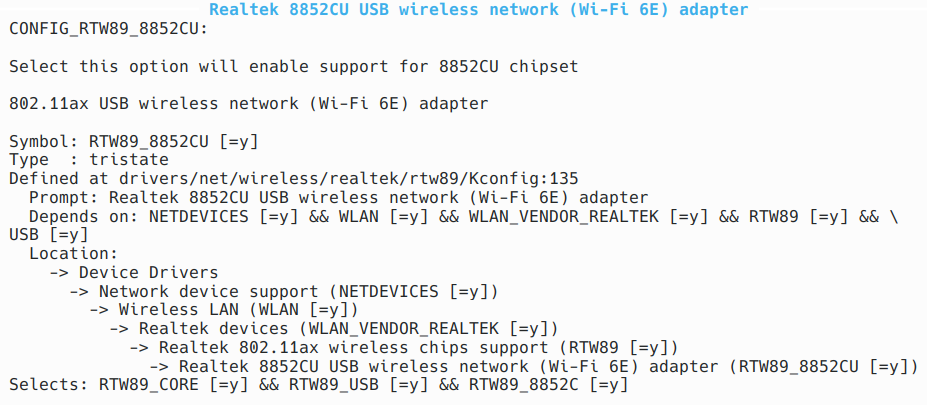
It is bascially just a regular USB WiFi dongle and requires the correspondent kernel drivers for WiFi and the device itself to be present.
[ 6698.693191] usb 4-3: new SuperSpeed USB device number 4 using xhci_hcd
[ 6698.704056] usb 4-3: New USB device found, idVendor=28de, idProduct=2432, bcdDevice= 0.00
[ 6698.704293] usb 4-3: New USB device strings: Mfr=1, Product=2, SerialNumber=3
[ 6698.704296] usb 4-3: Product: 802.11ax WLAN Adapter
[ 6698.704299] usb 4-3: Manufacturer: Realtek
[ 6698.704302] usb 4-3: SerialNumber: xxxxxxxxxxxx
[ 6698.705545] rtw89_8852cu 4-3:1.0: loaded firmware rtw89/rtw8852c_fw-2.bin
[ 6698.705560] rtw89_8852cu 4-3:1.0: 2.4 GHz performance may be better in a USB 2 port
[ 6698.714679] rtw89_8852cu 4-3:1.0: Firmware version 0.27.129.4 (3f1a5302), cmd version 0, type 1
[ 6698.714684] rtw89_8852cu 4-3:1.0: Firmware version 0.27.129.4 (3f1a5302), cmd version 0, type 3
[ 6699.016582] rtw89_8852cu 4-3:1.0: Firmware element BB version: 00 28 00 00
[ 6699.016606] rtw89_8852cu 4-3:1.0: Firmware element radio A version: 00 63 00 00
[ 6699.016625] rtw89_8852cu 4-3:1.0: Firmware element NCTL version: 00 11 00 00
[ 6699.016671] rtw89_8852cu 4-3:1.0: Firmware element TXPWR version: 00 82 00 00
[ 6699.016674] rtw89_8852cu 4-3:1.0: Firmware element PWR_TRK version: 00 26 00 00
[ 6699.016680] rtw89_8852cu 4-3:1.0: Firmware element REGD version: 00 49 00 3c
[ 6699.017099] rtw89_8852cu 4-3:1.0: chip info CID: 0, CV: 1, AID: 0, ACV: 0, RFE: 1
[ 6699.019539] rtw89_8852cu 4-3:1.0: rfkill hardware state changed to enable
[ 6699.037644] rtw89_8852cu 4-3:1.0 wlp42s0f3u3: renamed from wlan0

wireless-regdb

Is required to set your countries regulatory rules, iw allows you to inspect things. If things are not set up correctly you’ll get something like:

# iw reg get
global
country 00: DFS-UNSET

Note: At this point the device pairing might work already but NOT the actual connection as long as this is not set up properly.

I’ve configured my kernel to also include the database, as I’m not using an initrd and the driver is also directly compiled in, so my kernel .config has:

CONFIG_EXTRA_FIRMWARE="regulatory.db regulatory.db.p7s"

And then I tell grub to pass the required country parameter to the kernel command line by editing /etc/default/grub:

GRUB_CMDLINE_LINUX_DEFAULT="cfg80211.ieee80211_regdom=DE"

So after a reboot you can check dmesg:

[    0.043985] Kernel command line: BOOT_IMAGE=/vmlinuz-7.2.7 root=/dev/nvme0n1p4 ro root=PARTUUID=xxx-xxx-xxx-xxx-xxx cfg80211.ieee80211_regdom=DE
[...]
[    1.624999] Loading compiled-in X.509 certificates
[    1.630233] cfg80211: Loading compiled-in X.509 certificates for regulatory database
[    1.630771] Loaded X.509 cert 'sforshee: 00b28ddf47aef9cea7'
[    1.631157] Loaded X.509 cert 'wens: 61c038651aabdcf94bd0ac7ff06c7248db18c600'

And finally see if things are correctly set up now:

# iw reg get
global
country DE: DFS-ETSI

NetworkManager

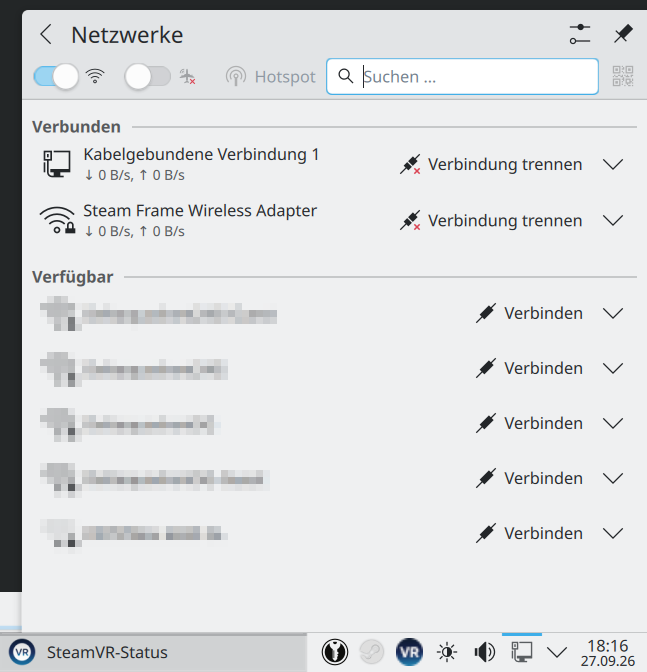
Steam currently appears to expect NetworkManager with the wpa_supplicant backend enabled to automatically configure stuff. Once Steam is launched it’ll ask for permissions to set up a wireless connection and once SteamVR is started and the pairing from within the Steam Frame succeeded the connection should be established and look like:
$ nmcli connection show
NAME                          UUID             TYPE      DEVICE      
Kabelgebundene Verbindung 1   xxx-xxx-xxx-xxx  ethernet  enp39s0     
Steam Frame Wireless Adapter  xxx-xxx-xxx-xxx  wifi      wlp42s0f3u3 
lo                            xxx-xxx-xxx-xxx  loopback  lo
$ nmcli
wlp42s0f3u3: connected to Steam Frame Wireless Adapter
        "Valve Software 802.11ax"
        wifi (rtw89_8852cu), XX:XX:XX:XX:XX:XX, hw, mtu 1500
        inet4 10.35.78.26/24
        route4 10.35.78.0/24 metric 600
        inet6 fe80::3bba:6bc8:2881:4d62/64
        route6 fe80::/64 metric 1024

SteamVR

Note: If you’re on Steam client beta you have to disable the experimental SteamRT3-Client

as it currently doesn’t work with SteamVR yet: https://github.com/ValveSoftware/SteamVR-for-Linux/issues/936.

Note: You currently have to manually start SteamVR before streaming any game, supposed to be fixed soon: https://github.com/ValveSoftware/SteamVR-for-Linux/issues/962
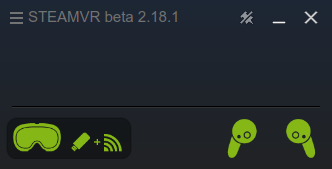
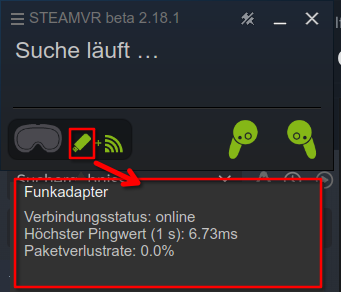
It took me quite some time to get at least the dongle working properly on my system, so I hope this information is also useful to others.

Remaining VR problems (unrelated to the Wireless Dongle)

With this I was able to stream my desktop and basically VR games, however when streaming a game the VR controllers don’t appear to be passed to the streamed game so I was unable to actually play something properly, tested with Arizona Sunshine VR Remake and Arizona Sunshine VR 2.
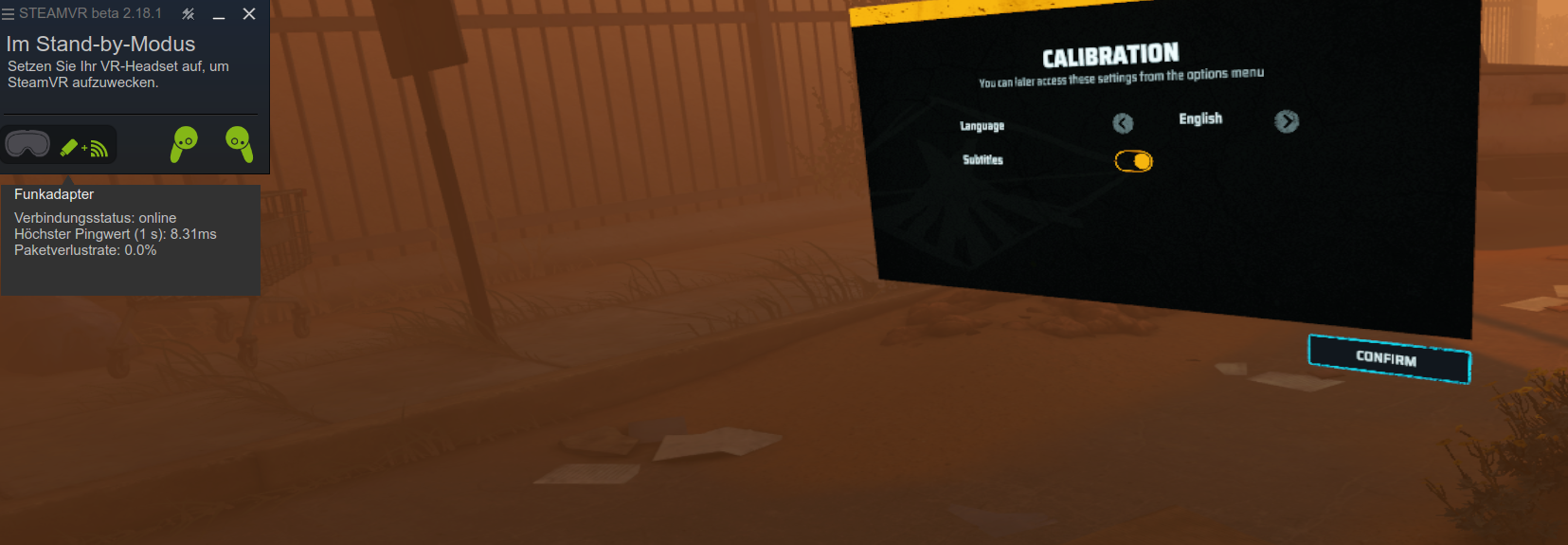
Also when trying to stream the game The Midnight Walk it always defaults to the 2D version of the game no matter which start option I choose.

And SteamVR crashing on exit.

If someone has a solution for any of that please let me know.

FTTH: OPNsense with Deutsche GigaNetz

Please note that this small guide only covers the actual WAN/PPPoE networking settings required and is by no means a comprehensive complete OPNsense guide. Migrating from Vodafone Cable I already had an interface tagged with VLAN tag 7 where I now plugged in the ONT instead of the Vodafone Station that I had configured in bridge mode before. Please also note that I additionally booked the Professional Package for proper Dual-Stack and having an IPv4 address so things might work differenly or not at all when being on the stock contract only offering DS-Lite. Please let me know in the comments or via mail if you got things working on a pure DS-Lite contract and what might be different configuration wise as I’d also like to safe that additional monthly fee if possible, but having had my fair share of problem with Vodafone before I wanted to be on the safe side for a start here.

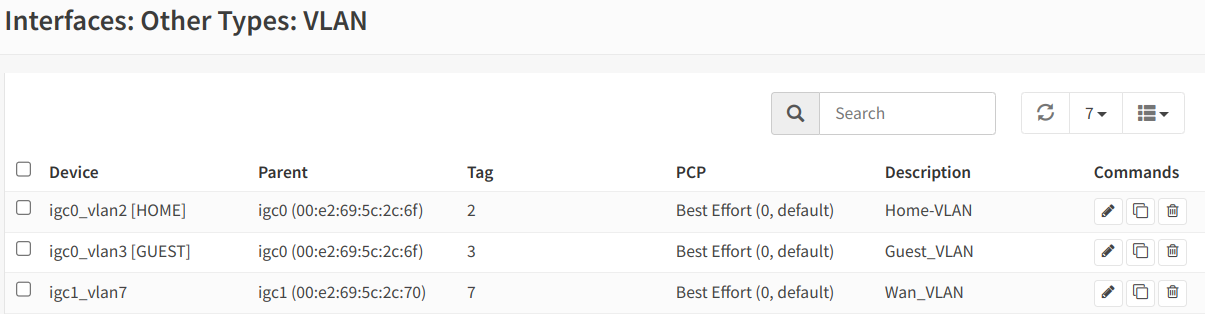
Interfaces: Interface with VLAN tag 7

I also already had my WAN interface which just required some configuration changes.

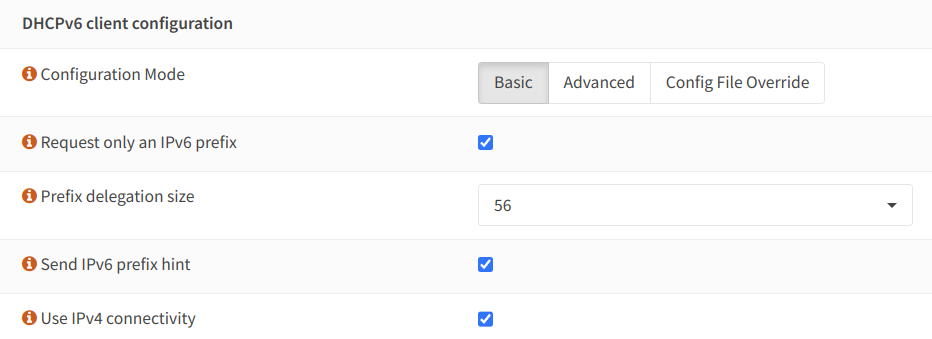
WAN Interface: IPv4: PPPoE / IPv6: DHCPv6

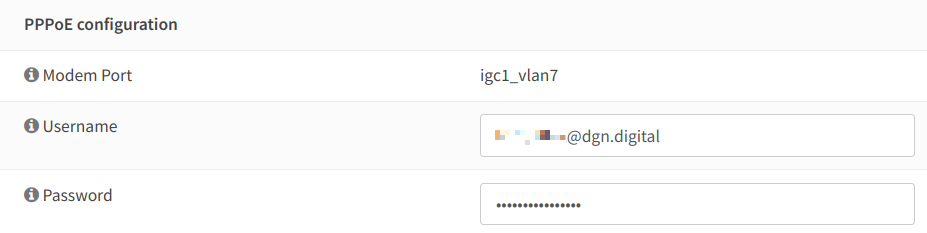
If you like me didn’t get your login information yet, connect the provided FRITZ!Box first which gets the login data via ACS. After that you can export the configuration and use FritzBox-JSTool to extract the required login information for PPPoE.

WAN Interface: PPPoE configuration
WAN Interface: DHCPv6 client configuration

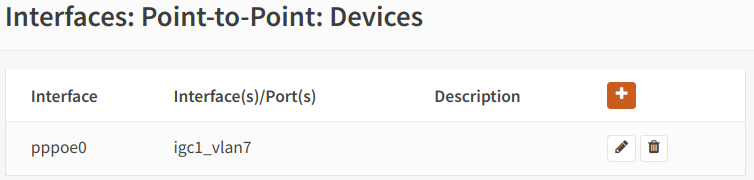
At first things didn’t work for me and I got PPPoE connection timeouts, it turned out that I had to assign the dedicated VLAN 7 interface directly as the Link interface(s) in the PPPoE Devices configuration.

Interfaces: Point-to-Point: Devices

Afterwards things started to work fine for me.

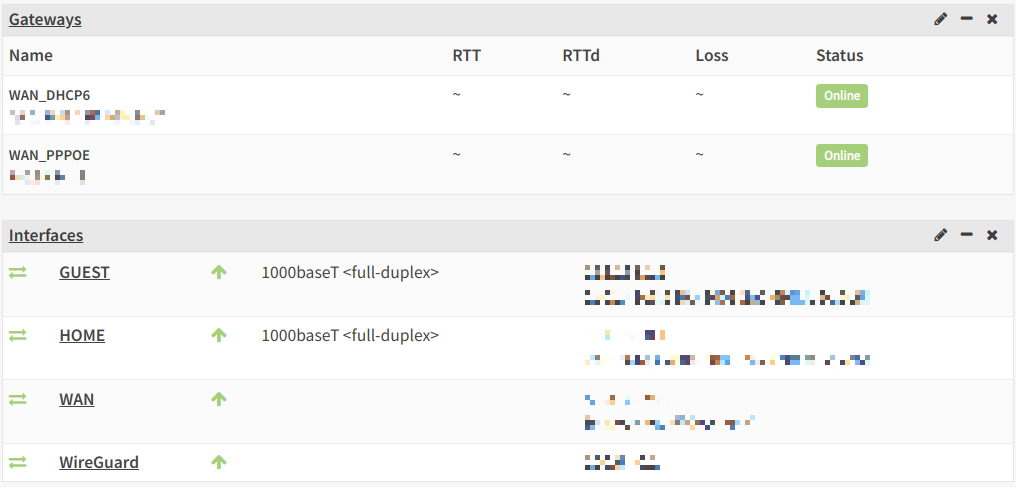
Dashboard: View of Gateways & Interfaces
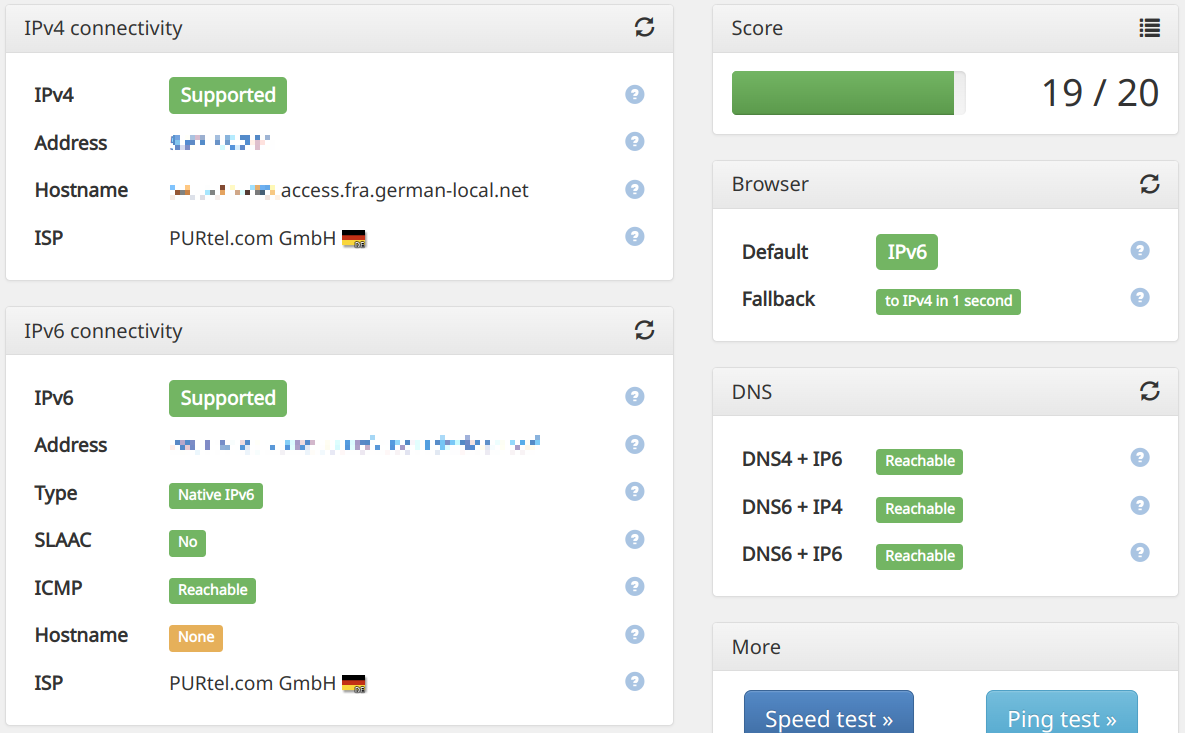
Result: https://ipv6-test.com/

Mapping the Delta Quadrant

#TeamMopra is currently running a Kickstarter campaign to collect additional funding required for their ongoing work of mapping and interstellar exploration charting the least known part of our Galaxy – the Fourth Quadrant, also known as the Delta Quadrant – the Southern Milky Way by utilizing the Mopra Radio Telescope located in Australia.

The well known German news portal heise online recently had an interesting article about the Kickstarter campaign and more information can be found on the projects website and of course by reading the well written description on the Kickstarter campaign itself.

If you’re interested in science, science fiction, space exploration or just want to help humanity to understand what’s going on around us, be sure to support their campaign. Perhaps it’ll allow a future captain Kathryn Janeway and the crew of the USS Voyager to travel the Delta Quadrant more safely.

The state of gaming on Linux in 2013

What already happened this year

Things are moving fast this year, starting with the official release of a native Steam client earlier this year and followed by the various achievements accomplished in the open-source graphics stack and it’s drivers. The release of SDL 2.0 (which is also used by Steam). The evolving Linux support in the various graphics engines like Unity or CryENGINE and the many successfully funded Kickstarter projects promising Linux versions on release.

Valve announces future hardware for the living room running their own Linux distribution

The big news for this month are currently starting to emerge since Valve just disclosed that they will soon start to offer their own Linux distribution called SteamOS for download. SteamOS is probably Ubuntu based and will also power the soon to be expected SteamBox. Nothing to fear about though since all games which run on the SteamBox will also work on every other Linux distribution with the Steam client installed. Yet another console probably wouldn’t stand a chance against the Playstation and Xbox dominance (see OUYA and even Nintendo  struggling to sell their Wii U) but the SteamOS will have additional features, the most promising one allows you to stream your games from your main gaming pc to the SteamOS so you can enjoy all those games which are not yet available for Linux natively. The only thing I’m a bit worried about is the promised media part since I’m pretty much in love with XBMC and I can’t think of missing it nor do I think Valve can come up with something that can really compete with it.

The latest version of the Steam Linux client ships with udev rules (99-steam-controller-perms.rules) which gives a hint that Valve will also release input hardware for the SteamBox, most probably in form of a console-like controller. Of course you can still connect a regular mouse and keyboard to it.

Valve also gave a hint that there’ll be AAA titles available which will run natively on Linux/SteamOS. Will Half-Life 3 and Left 4 Dead 3 be among the launch titles? Other publishers also promised Linux ports for the future, already confirmed are Tropico 5 and Metro: Last Light. Deep Silver also evinced interest in releasing their games for Linux.

Gabe Newell gave some interesting insights about Valves Linux ambitions and game development in general during a talk at LinuxCon 2013. He explains that their customers see a clear demand for better Linux debuggers to ease the game development process. Valve is already contributing to LLDB and as mentioned in the talk also working on a completely new debugger which they will eventually release some time in the future.

NVIDIA releasing GPU documentation

Last thing which came as a quite a surprise today was that NVIDIA announced that they’ll begin to publish GPU documentation which will hopefully help the nouveau developers. AMD does this for quite a while now and just recently the open source drivers got a huge performance boost.

Gaming on Exherbo Linux

If you want to install Steam on Exherbo Linux an exheres is available in the ::games repository.

Note: I also offer a Mumble server on deltaquadrant.org which you can freely use to communicate with your friends during gaming.

Insecure Library Loading – Defective by Design

Binary Planting and DLL Hijacking are this weeks catchphrases and while Microsoft released a manual workaround to reduce the risk of this Windows design issue, they also state “What Microsoft is doing” in the official technet article:

“Loading dynamic libraries is basic behavior for Windows and other operating systems, and the design of some applications require the ability to load libraries from the current working directory. Hence, this issue cannot directly be addressed in Windows without breaking expected functionality. Instead, it requires developers to ensure they code secure library loads. However, we’re looking into ways to make it easier for developers to not make this mistake in the future.”

That together with the most recent discovery that many applications try loading DLL files for compatibility reasons, like different Windows versions for example, makes this whole thing a huge mess which won’t be solved so quickly. Particularly for applications with dead upstream. Exploit-DB already has a growing list of applications vulnerable for this attack, it’s expected that there’ll be plenty of updates comming shortly for various applications. To name a few prominent ones: Firefox, Thunderbird, VLC media player, Winamp, Skype, PuTTY, Microsoft Office, Adobe CSx, CorelDRAW, AutoCAD, the NVIDIA display driver, and so on.

So be sure to keep yourself and your applications up2date!

Update 27/08/2010: VLC media player 1.1.4 fixing the security issue has been released.

World of Warcraft patch 3.3.5 and Wine

Today patch 3.3.5 for World of Warcraft was released in Europe. If you’re running an up to date Linux distribution you’ll be greeted with a Wine error after patching WoW and trying to login with your battle.net account. Blizzard did some changes to the login code also mentioned in the patch changelog, but the problem this time is neither WoW nor Wine. It’s a kernel bug introduced during the development cycle for 2.6.33 by this commit. Kernels prior to 2.6.33 work just fine and thanks to the nature of Open Source and the people involved tracking down the issue in the WineHQ Bugzilla there already exists a kernel patch fixing the issue for kernels >=2.6.33 which awaits approval to be included in the mainline for the next kernel bugfix release.

So if you want to be able to enjoy WoW on Linux again, be sure to grab the patch and recompile your kernel!